SimpleFOC Integrated Board from Zero to One - Part 4
SimpleFOC Integrated Board Hardware Practice: From Zero to One (4) – Interpreting the Code and add heartbeat function
Interpreting the Code
This article mainly explains the code.
The example is based on the official SimpleFOC example: full_control_serial.ino.
1
2
3
4
5
6
7
8
9
10
11
12
13
14
15
16
17
18
19
20
21
22
23
24
25
26
27
28
29
30
31
32
33
34
35
36
37
38
39
40
41
42
43
44
45
46
47
48
49
50
51
52
53
54
55
56
57
58
59
60
61
62
63
64
65
66
67
68
69
70
71
72
73
74
75
76
77
78
79
80
81
82
83
84
85
86
87
88
89
90
91
92
93
94
95
96
97
98
99
100
101
102
103
104
105
106
107
108
109
110
111
112
113
114
115
116
117
118
119
120
121
122
123
124
125
126
127
128
129
130
131
132
133
134
135
136
137
138
139
140
141
142
#include <SimpleFOC.h>
//#define USE_HSI
// magnetic sensor instance - SPI
//MagneticSensorSPI sensor = MagneticSensorSPI(AS5147_SPI, 10);
// magnetic sensor instance - MagneticSensorI2C
MagneticSensorI2C sensor = MagneticSensorI2C(AS5600_I2C);
//MagneticSensorI2C sensor = MagneticSensorI2C(0x36, 12, 0X0C, 4);
// magnetic senso    r instance - analog output
// MagneticSensorAnalog sensor = MagneticSensorAnalog(A1, 14, 1020);

// BLDC motor & driver instance
//BLDCMotor motor = BLDCMotor(11);
BLDCMotor motor = BLDCMotor(7);   //your brushless motor
//BLDCDriver3PWM driver = BLDCDriver3PWM(9, 5, 6, 8);
BLDCDriver3PWM driver = BLDCDriver3PWM(PB0, PB1, PB4, PA6);
// Stepper motor & driver instance
//StepperMotor motor = StepperMotor(50);
//StepperDriver4PWM driver = StepperDriver4PWM(9, 5, 10, 6,  8);

//LED
int ledState = LOW;             // used to set the LED state
unsigned long previousMillis = 0;  //will store last time LED was blinked
const long period = 400;         // period at which to blink in ms
#define ledPin PB3

// commander interface
Commander command = Commander(Serial);
void onMotor(char* cmd) {
  command.motor(&motor, cmd);
}


void setup() {

  pinMode(PB3, OUTPUT);

  // initialise magnetic sensor hardware
  sensor.init();
  // link the motor to the sensor
  motor.linkSensor(&sensor);

  // driver config
  // power supply voltage [V]
  driver.voltage_power_supply = 12;
  driver.init();
  // link driver
  motor.linkDriver(&driver);

  // choose FOC modulation
  motor.foc_modulation = FOCModulationType::SpaceVectorPWM;

  // set control loop type to be used
  // set motion control loop to be used
  // MotionControlType::torque
  // MotionControlType::velocity
  // MotionControlType::angle
//  motor.controller = MotionControlType::angle;
  //bi4wms add bellow comment above
  motor.controller = MotionControlType::torque;

  // contoller configuration based on the control type
/*
  motor.PID_velocity.P = 0.2f;
  motor.PID_velocity.I = 20;
  motor.PID_velocity.D = 0;
*/
//bi4wms comment above add bellow
    motor.PID_velocity.P = 0.1f;
  motor.PID_velocity.I = 10;
  motor.PID_velocity.D = 0;

  // default voltage_power_supply
 // motor.voltage_limit = 12;
    motor.voltage_limit = 0.5; //bi4wms

  // velocity low pass filtering time constant
  motor.LPF_velocity.Tf = 0.01f;
/*
  // angle loop controller
  motor.P_angle.P = 20;
  // angle loop velocity limit
  motor.velocity_limit = 50;
*/
//bi4wms comment above add bellow
  // angle loop controller
  motor.P_angle.P = 10;
  // angle loop velocity limit
  motor.velocity_limit = 20;

  // use monitoring with serial for motor init
  // monitoring port
  Serial.begin(115200);
  // comment out if not needed
  motor.useMonitoring(Serial);

  // initialise motor
  motor.init();
  // align encoder and start FOC
  motor.initFOC();

  // set the inital target value
  motor.target = 0;

  // define the motor id
  command.add('M', onMotor, "motor");

  // Run user commands to configure and the motor (find the full command list in docs.simplefoc.com)
  Serial.println(F("Motor commands sketch | Initial motion control > torque/voltage : target 2V."));
  Serial.println(F("====bi4wms SETUP SUCESS====."));
}


void loop() {
  // iterative setting FOC phase voltage
  motor.loopFOC();

  // iterative function setting the outter loop target
  // velocity, position or voltage
  // if tatget not set in parameter uses motor.target variable
  motor.move();

  // user communication
  command.run();

    LEDblink();
}


void LEDblink()
{
  unsigned long currentMillis = millis(); // store the current time
  if (currentMillis - previousMillis >= period) { // check if 1000ms passed
    previousMillis = currentMillis;   // save the last time you blinked the LED
    if (ledState == LOW) { // if the LED is off turn it on and vice-versa
      ledState = HIGH;
    } else {
      ledState = LOW;
    }
    digitalWrite(ledPin, ledState);//set LED with ledState to blink again
  }
}
Main Modifications
- Power supply
- DRV8313 driver chip control pins
- Motor pole pair parameters (different brushless motors have different numbers of pole pairs)
- Magnetic encoder related settings
After completing the modifications, upload the code and test it using serial commands.
Adding a Heartbeat Indicator
When designing hardware circuits, in addition to the power supply indicator LED, a heartbeat indicator LED is typically added to indicate that the software system is running normally. This design is no exception.
Most beginner Arduino projects use delay() to blink an LED. However, when using the FOC (Field Oriented Control) vector control algorithm for the motor, using delay() becomes very inappropriate. Using Arduino’s FreeRTOS would also consume too many system resources.
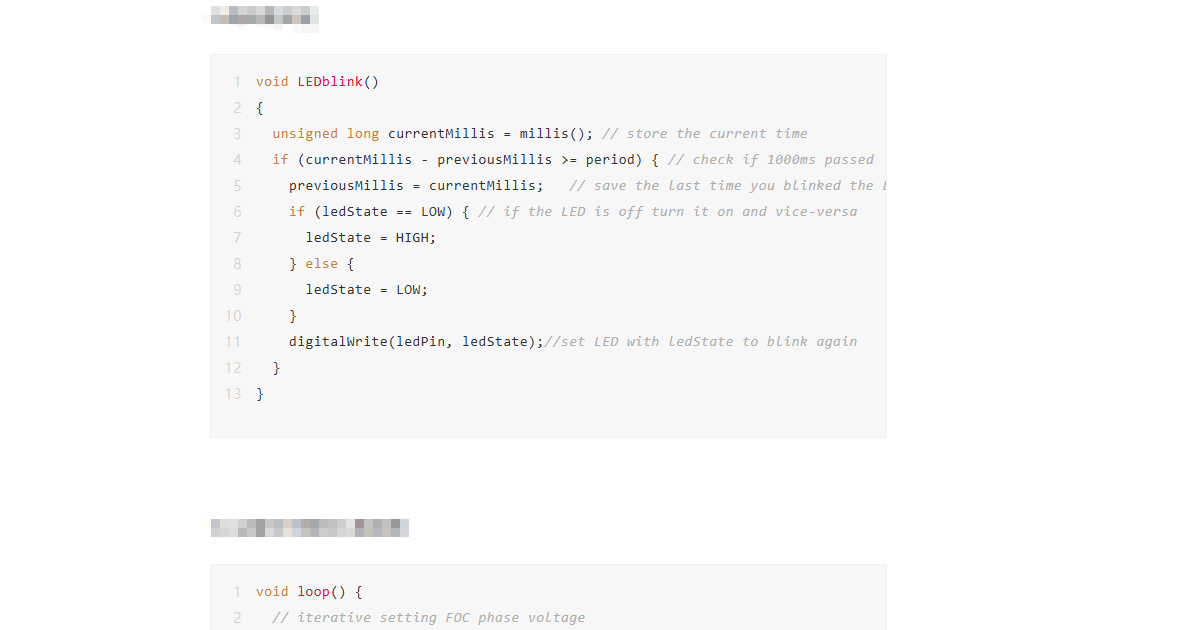
After research, the millis() function can be used to achieve a non-blocking heartbeat LED. The key code is as follows:
Variable and function declarations for the heartbeat:
1
2
3
4
5
6
//LED
int ledState = LOW;             // used to set the LED state
unsigned long previousMillis = 0;  //will store last time LED was blinked
const long period = 1000;         // period at which to blink in ms
#define ledPin PB3
void LEDblink();
** Heartbeat function:**
1
2
3
4
5
6
7
8
9
10
11
12
13
void LEDblink()
{
  unsigned long currentMillis = millis(); // store the current time
  if (currentMillis - previousMillis >= period) { // check if 1000ms passed
    previousMillis = currentMillis;   // save the last time you blinked the LED
    if (ledState == LOW) { // if the LED is off turn it on and vice-versa
      ledState = HIGH;
    } else {
      ledState = LOW;
    }
    digitalWrite(ledPin, ledState);//set LED with ledState to blink again
  }
}
** Add heartbeat function to loop():**
1
2
3
4
5
6
7
8
9
10
11
12
13
14
15

void loop() {
  // iterative setting FOC phase voltage
  motor.loopFOC();

  // iterative function setting the outter loop target
  // velocity, position or voltage
  // if tatget not set in parameter uses motor.target variable
  motor.move();

  // user communication
  command.run();

  LEDblink();
}